
Volkswagen Golf Mk7 Owners Manual: Automatic gearbox: selecting a gear
Fig. 136 and Fig. 137 show the automatic gearbox selector lever, with its lock button, for left-hand and right-hand drive Volkswagen Golf Mk7 models. This page explains what the lock button prevents — accidental selection of the wrong gear — and how to move through P, R, N, D and S correctly.
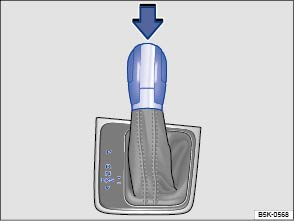
Fig. 136 Left-hand drive vehicles: selector lever for automatic gearbox with lock button (arrow)
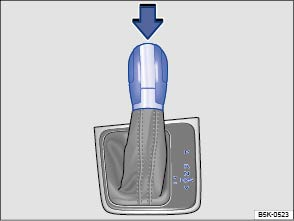
Fig. 137 Right-hand drive vehicles: selector lever for automatic gearbox with lock button (arrow)
 First read and observe the introductory information
and safety warnings
First read and observe the introductory information
and safety warnings The selector lever is equipped with a selector lever lock. When changing the selector lever position from P to a driving gear, switch on the ignition, depress the brake pedal and push the lock button in the selector lever in the direction of the arrow or . To move the selector lever out of position N to position D or R, first depress and hold the brake pedal.
The current selector lever position or the selected gear will be shown in the instrument cluster display if the ignition is switched on.
| Selector lever position | Designation | Meaning |
|---|---|---|
 |
Parking lock | The drive wheels are locked mechanically. May only be selected when the vehicle is stationary. To disengage this selector lever position, depress the brake pedal and also switch on the ignition. |
 |
Reverse gear | Reverse gear is selected. May only be selected when the vehicle is stationary. |
 |
Neutral | The gearbox is in the neutral position. No force is transmitted to the wheels and the braking effect of the engine is not available. |
 |
Standard driving position (normal programme) | All forward gears are shifted up and down automatically. The timing of the gear shift is determined by the engine load, your individual driving style and the speed of the vehicle. |
 |
Standard driving position (sport programme) | The forward gears are automatically changed up and down at higher engine speeds than in selector lever position D. This uses the full power available from the engine. However, the system will not switch to the highest forwards gear. |
| The timing of the gear shift is determined by the engine load, your individual driving style and the speed of the vehicle. | ||
 |
Changing gear selection | The change between positions D and S is carried out by tapping the selector lever once to the rear out of gear position D/S or . The selector lever will always fall back into gear position D/S. |
| Using this function it is possible to access the Tiptronic option from both the Sport programme S and from the Normal programme D . |
Selector lever lock
The selector lever lock in position P or N prevents gears from being engaged inadvertently, which would cause the vehicle to move.
To release the selector lever lock with the ignition switched on, depress and hold the brake pedal. Press the lock button in the selector lever at the same time.
The selector lever lock is not engaged if the selector lever is moved quickly through position N (e.g. when shifting from R to D). This makes it possible, for instance, to rock the vehicle backwards and forwards if it is stuck in snow or mud. The selector lever lock engages automatically if the brake pedal is not depressed and the lever is in position N for more than approximately 1 second and the vehicle is travelling no faster than approximately 5 km/h (3 mph).
In rare cases, the selector lever lock may not engage in vehicles with a dual
clutch gearbox DSG®. The drive is then deactivated to prevent the vehicle
from accidentally pulling away. The green indicator lamp
 flashes and an information message is also displayed.
Use the following procedure to engage the selector lever lock:
flashes and an information message is also displayed.
Use the following procedure to engage the selector lever lock:
- 6-speed gearbox: depress the foot brake and then release it again.
- 7-speed gearbox: move the selector lever to position P or N and then select a driving gear.

 WARNING
- Never depress the accelerator pedal when selecting a position.
- When the engine is running, the vehicle starts moving as soon as a gear is engaged and the brake pedal is released.
- Never select reverse gear or engage the parking lock while the vehicle is in motion.
WARNING
- The driver must never leave the driver seat when the engine is running and a position has been selected. If you have to leave the vehicle while the engine is running, always switch on the electronic parking brake and move the selector lever to position P.
- If the engine is running and the selector lever is in position D, S or R, the vehicle must be held on the foot brake. The vehicle will creep forwards as the power transmission is not fully interrupted even when the engine is idling.
- Never select positions R or P when the vehicle is in motion.
- Never leave the vehicle in driving mode N. The vehicle will roll downhill irrespective of whether or not the engine is running.

 NOTICE

Questions & answers
Automatic gearbox: selecting a gear — Volkswagen Golf Mk7

