System description – Tyre Pressure Monitoring System
| The tyre pressure monitor display system is part of the
software in the ABS control unit -J104-. The system is used to
detect slow tyre pressure loss from a wheel. Event memory
entries for the tyre pressure monitor display are stored in the
ABS control unit -J104-. The tyre pressure monitor display
compares the wheel speeds and consequently the rolling
circumferences of the individual wheels with the help of the ABS
speed sensors. |
| After the following work or modifications, the tyre pressure
monitor display button -E492- must be pressed and held until a
confirmation is sounded. |
| Changing one or more wheels |
| Interchanging wheels, e.g. from front to rear |
| Removing and fitting one or more wheels |
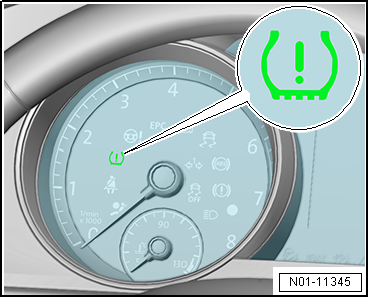
| A change in a wheel's rolling circumference will be
indicated by the tyre pressure monitor warning lamp -K220-
lighting up in the dash panel insert. A tyre's rolling
circumference may change as a result of: |
| Insufficient tyre inflation pressure. |
| One-sided loading of vehicle |
| Increased load on one axle, e.g. due to towing a trailer |
| Temporary spare wheel installed |
| System fault in the ABS system |
|
|
|
| If a fault in the ABS is displayed by the ESP and TCS
warning lamp -K155- then the Tyre Pressure Monitoring System
warning lamp -K220- will also light up. However, no fault will
be stored in the system for the tyre monitor display. |
| The warning lamp cannot be erased. In this case, please
carry out the following steps: |
| – |
Connect → Vehicle
diagnostic tester and select “Guided Fault Finding”
→ Vehicle diagnostic tester. |
| Follow instructions on screen to perform basic setting. |
| Carrying out basic setting of Infotainment system |
| – |
Switch on Infotainment system. |
| – |
Press Infotainment button CAR. |
| – |
Press function button Setup. |
| – |
Press function button Tyres. |
| – |
Press function button Set. |
| – |
Press function button Confirm. |
|
|
|
Questions & answers
Tyre pressure monitor — Volkswagen Golf Mk7
What tyre pressure monitor information does the Golf Mk7 workshop manual provide?
The indirect TPMS uses ABS wheel speed data. After any wheel work, the system must be reset via the infotainment menu.
Depending on equipment level, vehicles are equipped with a
breakdown set.
The breakdown set is located in the ...


