
Volkswagen Golf Mk7 Owners Manual: Making you and your vehicle safe
Fig. 207 shows the hazard warning light button in the middle of the Volkswagen Golf Mk7 dash panel. Many countries legally require switching on hazard lights when broken down — this page explains that obligation alongside the wider steps to keep yourself and other road users safe.
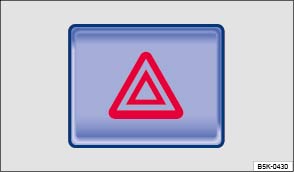
Fig. 207 In the middle of the dash panel: hazard warning light button
 First read and observe the introductory information
and safety warnings
First read and observe the introductory information
and safety warningsObserve any legislation concerning the safety of broken-down vehicles. For example, many countries stipulate that you have to switch on the hazard warning lights and wear a high-visibility waistcoat .
Questions & answers
Making you and your vehicle safe — Volkswagen Golf Mk7
What should I do first when the Golf Mk7 breaks down?
Switch on the hazard warning lights immediately. Apply the parking brake. Put on a high-visibility waistcoat before leaving the vehicle.
Where is the Golf Mk7 hazard warning light button?
In the centre of the dash panel, marked with a red triangle. Press it once to switch on, again to switch off. It works with or without the ignition.
How far behind the Golf Mk7 should I place the warning triangle?
Follow local regulations — typically 50 metres in urban areas and 100–200 metres on motorways. Place it where approaching drivers can see it in good time.

